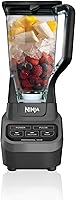
Ninja Blender Not Working? Causes and Fixes to Try
If your Ninja blender is not working, check the outlet, seat the pitcher and lid fully, and confirm the blade assembly is in place before trying again. Unplug it before inspecting parts, and stop if you notice damage, smoke, or a burning smell.
On this page (11 sections)
- Why is your Ninja blender not turning on?
- What should you check when the blender stops mid-cycle?
- Why does the Ninja blender turn on but fail to blend?
- What if the Ninja blender leaks or the lid won't lock?
- How can you tell whether the blade assembly is causing the problem?
- How do you clean a Ninja blender that's not working well?
- Which Ninja blender suits your needs if you need a replacement?
- How should you set up and care for a replacement Ninja blender?
- What mistakes can make a Ninja blender seem broken?
- When should you stop troubleshooting and contact support?
- What should you do next if your Ninja blender is not working?
If your Ninja blender is not working, check the outlet, pitcher, lid, and blade assembly first. Many startup and blending problems come from power, an incorrectly seated part, or an overloaded pitcher, so work through those checks before you decide the motor has failed.
Start with the control switched off. Unplug the base before removing parts, and stop if you see a damaged cord, smoke, or signs of burning.
Why is your Ninja blender not turning on?
A Ninja blender that won't turn on may have no power or a pitcher, lid, or blade assembly that isn't seated correctly. Setup varies by model, so follow its manual for the correct order and locking positions.
Make sure the plug is fully seated in a working outlet. Check the cord for cuts, kinks, or exposed wires, and don't use the blender if you find damage.
Turn the control off and unplug the base before touching the pitcher or blades. Remove and reseat the pitcher, lid, and blade assembly as the manual directs, then plug it in and try again.
If the outlet works with another appliance but the blender remains unresponsive, stop troubleshooting and contact Ninja support. Don't open the motor base or try to bypass a safety feature.
For a first-time setup walkthrough, see how to use a Ninja blender for the first time.
What should you check when the blender stops mid-cycle?
If your Ninja blender stops while running, switch it off, unplug it, and let the base cool before checking the load and assembly. Repeatedly restarting it without finding the cause can make the problem worse.
Once the base is cool, check whether ingredients are packed too tightly or filled beyond the maximum line. Remove some, then follow the manual's guidance for batch size and run time.
Check the pitcher and lid position, then look for food jammed around the blade assembly. Never reach into the pitcher while it is plugged in; handle the assembly by its center or grip points.
If it stops again with a smaller load and correctly seated parts, stop using it and contact support. A recurring stop may point to a fault that needs service.
Why does the Ninja blender turn on but fail to blend?
If the motor runs but ingredients don't move, check for a stuck blade assembly, an unsuitable load, or food packed tightly around the blades. Unplug the blender before inspecting anything inside the pitcher.
Remove the pitcher and blade assembly according to the manual. Clear food with a spatula only after unplugging the blender, and keep your fingers away from the blades.
For a thick mixture, pause and redistribute ingredients safely. Add liquid only when the recipe and manual allow it, and use pulse or preset controls as directed for your model.
If the assembly is damaged, loose, or difficult to turn by hand when removed, don't use the blender. Our guide to removing and replacing a blender blade explains what to check before fitting a replacement.
What if the Ninja blender leaks or the lid won't lock?
A leaking pitcher or lid that won't lock may have a part out of position, damage, or food residue in the way. Switch off and unplug the base, then inspect the pitcher rim, lid, and seals.
Wash away dried ingredients and let parts dry before reassembling them. Don't force a lid or pitcher into place; use the manual to check its alignment and locking steps.
If the lid remains stuck after blending, let the contents settle and release any pressure as the manual allows. Follow our guide to why a Ninja blender lid won't open for safe next steps.
Replace a cracked pitcher, lid, or seal with a part approved for your model. A damaged container can be unsafe even if it appears to lock.
How can you tell whether the blade assembly is causing the problem?
The assembly may be the cause if it's visibly damaged, won't sit securely, or is blocked by food. Check it only with the blender unplugged and the pitcher removed from the base.
Look for cracks, bent blades, loose fittings, or residue around the assembly. Don't touch sharp edges to test for looseness, and don't use a blade that appears damaged.
If the assembly looks intact but the blender still won't blend, check the manual for the correct attachment and position. Our blender cleaning guide covers removing residue from the pitcher, lid, and blades.
How do you clean a Ninja blender that's not working well?
Cleaning can help if dried food or residue blocks the lid, pitcher, or blade assembly. Unplug the base first, then clean removable parts using the care steps for your model.
Don't immerse the motor base or let water enter its controls. Dry the outside before reconnecting it, and don't run the blender if the cord, plug, or base is wet.
A replacement makes sense if your pitcher is cracked or the assembly is damaged and you can't find an approved part. If you often blend family-size batches, the Ninja Professional BL610 has a 72 oz pitcher and a dishwasher-safe pitcher.
Which Ninja blender suits your needs if you need a replacement?
Choose based on your batch size and preferred controls. The Ninja Professional Plus BN701 suits preset-led blending, while the Ninja Professional 2.0 BR201AMZ offers both manual speeds and a Crush preset.
The BN701 has three Auto-iQ programs that combine timed pulsing, blending, and pauses. Its 72 oz pitcher has a marked 64 oz maximum liquid capacity, making it a practical fit for large batches if you want the blender to manage the sequence.
The BR201AMZ pairs a Crush Auto-iQ program with low, medium, high, and pulse controls. Choose it if you want to adjust the blend manually as well as use a preset; its pitcher also has a 64 oz maximum liquid capacity.
The BL610 is a straightforward option for shoppers who want a manual, push-button blender for large batches and ice crushing. Skip it if you specifically want Auto-iQ programs; choose the BN701 or BR201AMZ for preset controls.
Compare other models in our guide to which Ninja blender is best. If you replace your blender, read the new model's manual before using its pitcher or blade assembly.
How should you set up and care for a replacement Ninja blender?
A careful setup helps you avoid a false “Ninja blender not working” problem on the first use. Place the base on a dry, stable surface, then assemble the pitcher, blade unit, and lid in the order given in the manual.
Before plugging it in, check that the blade assembly is seated properly and that the lid locks into place without force. Keep the appliance away from water, and leave room around it so the cord isn't stretched or pinched.
Stay below the marked maximum liquid line when the pitcher has one. Add ingredients in the order recommended by your recipe, and use the correct speed or preset for the task rather than running the blender longer than needed.
After blending, unplug the base before removing the pitcher or blades. Clean removable parts promptly, follow the model's dishwasher guidance, and keep the motor base dry.
What mistakes can make a Ninja blender seem broken?
Several avoidable mistakes can make a working blender struggle or stop. Overfilling, forcing parts into place, and checking blades while plugged in can create problems or make troubleshooting unsafe.
Keep ingredients below the maximum fill line and don't pack the pitcher so tightly that food can't move around the blades. For thick mixtures, pause and adjust the ingredients safely instead of pushing them down while the motor runs.
Don't force a lid that won't lock or keep restarting a blender that stops repeatedly. Switch it off, unplug it, and check the assembly and load before deciding whether support is needed.
Don't use a cracked pitcher, damaged cord, or bent blade assembly. If a part seems faulty, use only a replacement approved for your model.
When should you stop troubleshooting and contact support?
Stop using the blender if you see smoke, smell burning, hear harsh unusual noises, or find damage to the cord, base, pitcher, or blades. Unplug it if you can do so safely, and don't open the motor housing.
Contact Ninja support if the blender stays unresponsive after you check the outlet and reseat the parts, or if it repeatedly stops with a small, correctly assembled load. Have the model name ready so support can direct you to the right instructions.
What should you do next if your Ninja blender is not working?
If your Ninja blender is not working, check power and assembly first, then inspect the load and removable parts with the base unplugged. Try a safe reset only after the blender has cooled and the manual's setup steps are complete.
Choose a replacement by how you blend: the BL610 for manual large-batch use, the BN701 for three Auto-iQ programs, or the BR201AMZ for manual speeds plus a Crush preset. If you find damage, smell burning, or the blender keeps stopping, leave it unplugged and contact Ninja support.
Frequently asked questions
Why won't my Ninja blender turn on?
A Ninja blender may not start if it has no power or if the pitcher, lid, or blade assembly isn't seated as required by that model. Check the outlet and cord, then unplug the blender and reseat removable parts according to the manual.
If it still won't start, contact Ninja support.
Why does my Ninja blender stop while blending?
A blender can stop if motor protection activates or a part shifts during use. Turn it off, unplug it, and let it cool before checking the load and assembly.
Follow the manual's guidance on quantities and run time.
Don't keep restarting it if it repeatedly stops.
Can I run a Ninja blender without the lid?
Don't run a Ninja blender without its lid secured as the manual directs. Blades can throw ingredients, and some models may require the lid to be correctly positioned before operation.
Switch off and unplug the base before adjusting the lid or removing the pitcher.
What should I do if my Ninja blender smells like it's burning?
Switch it off and unplug it right away if you smell burning, see smoke, or hear an unusual harsh noise. Let the base cool in a clear, dry area, and don't open or repair the motor housing.
Contact Ninja support if the smell persists or the blender behaves abnormally.